Exorcising Big Tech: The Office Suite
Contents
This is the second of my blog posts detailing how I am and have been trying to remove big tech from my life. Read the introductory post first: Exorcising Big Tech. Also check out my posts on switching operating systems, reference managers and web browsers.
My bottom line: The office suite is central to what we do in the humanities and social sciences, so it becomes a very personal choice that depends on your workflow. I strongly recommend gradually switching over to LibreOffice. It works similarly to familiar office suites and is as or more powerful in most areas, with some where it lacks.
For most academics – especially those in the humanities and social sciences – the office suite is the bread and butter of our work. We spend a lot of time there, writing and, probably more so, not actually writing but thinking about writing. We might use it to edit, comment on and suggest changes to the drafts of co-authors, colleagues. We might use it to mark up student or peer review papers. Maybe to take minutes in meetings, to collaborate on planning documents, or to take notes. Simply put, it’s rather important.
For many years I have defended the Microsoft Office suite. I have defended it against people who complain that it’s not good at things it’s not designed to be good at – like publishing – and against people whose issues with it are better explained by user error (or ‘skill issue’, if you will). As a WYSIWYG processor, it’s very, very solid.
But I have never been so incensed than when I opened up my Word one day to see this.
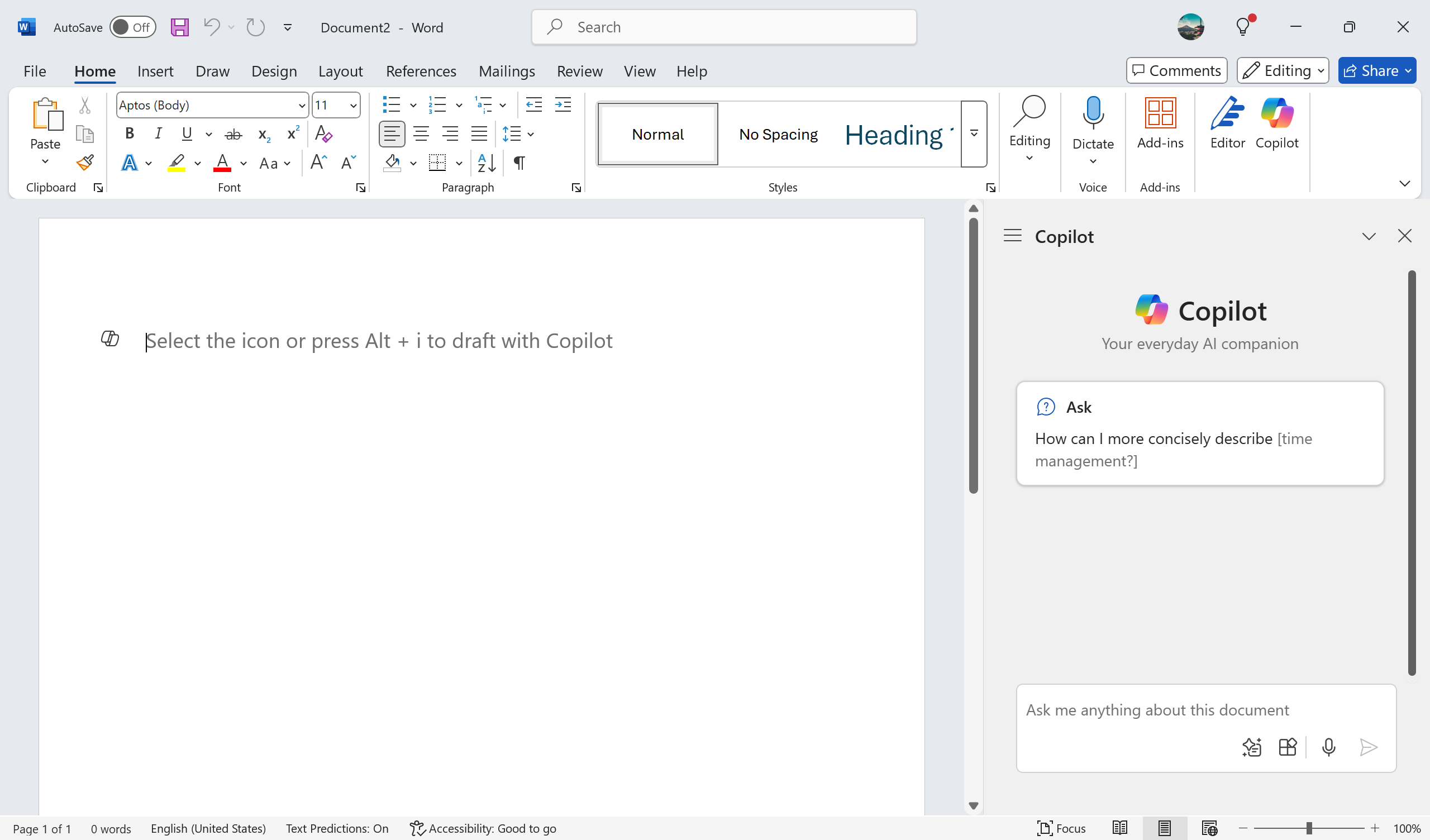
It was a statement of intent. You could turn it off at the beginning, but that didn’t matter. (You can’t turn it off now, anyway, it seems.) But inserting Copilot into Word in this way – not just to the side or as a new option in the menu, but right where I’m writing, unavoidable – showed that, going forward, the core principles of Word would be moving towards ‘co-writing’ with an AI assistant. This is anathema to the kind of work I use Word for: knowledge work. I agree with Jill Walker Rettberg’s call to stop using AI in this kind of work:
Vi blir ikke mer produktive. Vi blir dummere. Og enda verre, vi risikerer å miste hele kunnskapssystemet. Vi kan ikke lenger stole på noe.
[We’re not getting more productive. We’re getting dumber. And, worse still, we risk losing the entire system of knowledge production. We can no longer trust anything.]
The title of a blog post of hers gets to the heart of it: Språk er makt. Ikke la KI ta den makten fra deg. [Language is power. Don’t let AI take that power away from you.]
Along with my broader concerns with Microsoft that I talk about in the introductory blog post, this gave me the motivation I needed to finally leave Microsoft Office.
The alternatives
What actually counts as an alternative really depends on your needs. For example, as a WYSIWYG editor, Word is actually tailored to a particular niche of word processing, but most people use it for much more than that. For some, all they would need is a markdown editor, for others, LaTeX is great.
I’m going to focus on the idea of a ‘suite’ here. Most people in my line of work will need:
- A word processor.
- A presentation designer.
- A spreadsheet program.
Those are what I consider core to an office suite. For these purposes, most people use one of Office365, iWork or Google Workspace, of Microsoft, Apple and Google, respectively. Generally, people will use one of the former two for their daily usage, and Google’s offering for collaborative work. Or, increasingly, Google for everything. For obvious reasons, all three of those suites are out. So what else is there?
LibreOffice
There are many options. I obviously haven’t tried them all. In fact, I’ve tried very few. That’s because I went to LibreOffice quite early on, and have found it to be a very complete offering. On top of that, it’s open source (originally forked from the now-defunct OpenOffice), and is run by the nonprofit organisation The Document Foundation, based in Germany.
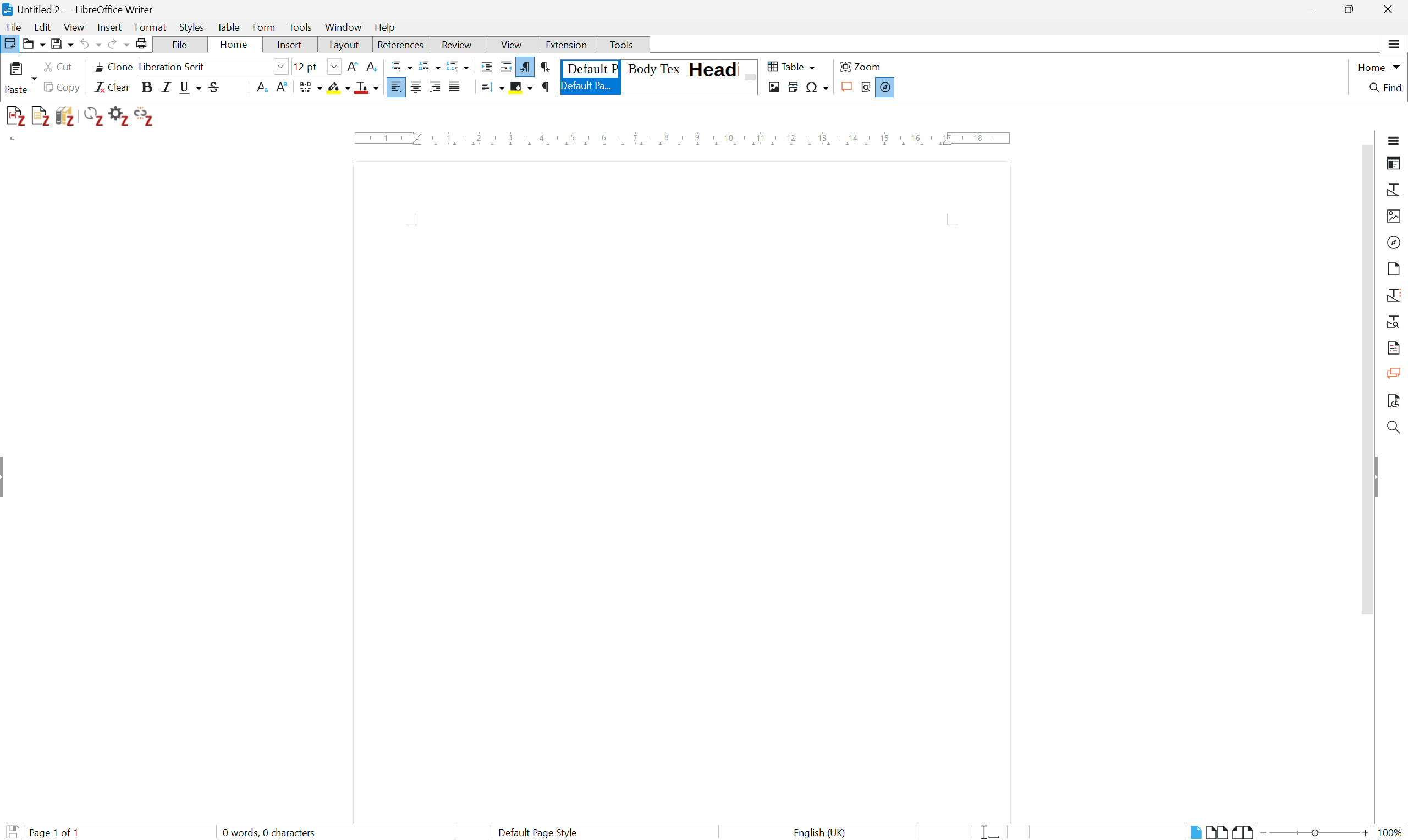
An empty document in LibreOffice Writer in light mode, with ribbon-based interface and with the Zotero add-on toolbar.
The good
- Entirely free.
- Writer is fully featured and more powerful than Word in many respects.
- Supports Python scripting, allowing for powerful macros without having to wrestle with VBA.
- Very customisable in UI, appearance, keybindings, etc.
The bad
- Impress and Calc are somewhat lacking compared with their Microsoft equivalents. Perfectly usable for most cases, but not quite as good.
- Appearance is a little dated; it has those open source vibes. (A good thing for some people, to be fair.)
- Doesn’t support cloud-based simultaneous collaboration (yet).
Probably the biggest point of friction in switch from Microsoft Office to LibreOffice, at least, was working with .docx files. Microsoft uses its proprietary .docx format, while LibreOffice uses the OpenDocument .odt format by default. Both can open and convert the other, but they don’t always play nicely. In my experience, headers and footers are the first casualties, and images next. This isn’t a big problem if you’re just using it to write. It’s a big problem if you’re using the software to produce layouts for print or publication.
For me, that issue became apparent in doing the layout editing for articles for Eludamos. Now that I’ve switched to using dedicated page layout and publishing software (at the moment Affinity, but I so want Scribus to not be so horribly clunky so I can use that), the issues are more or less nonexistent. In other words, the conversion issues are primarily cosmetic. The solution: don’t use a WYSIWYG editor for actual publishing. Oh, and there can be some snags with opening a Word document in LibreOffice in reference managers.
The cleanest solution to all this is to gradually transition to LibreOffice. Anything you’ve currently started in Word, finish it in Word. Everything new, start it in LibreOffice.
OnlyOffice
It’s not what it looks like – OnlyFans have not branched out into office software. Available as both an open source community version and a proprietary enterprise version, OnlyOffice is an office suite run by Latvian firm Ascensio System SIA. It is therefore only partially open source, and is run for profit, making it already a not-ideal choice for my criteria. Since 2023, they have also begun to add in AI plugins, and added it to their tagline: “Run your private office with the ONLYOFFICE — now driven by AI-powered virtual assistants and smart agents”. To me, that is a bad sign.
I had to use OnlyOffice as part of my postdoc in Bremen. Honestly, I hated the software. Many leaving Windows swear by it, and it is a relatively complete offering. However, I found it clunky, slow, and lacked a number of important features.
The good
- Native online, simultaneous, collaborative editing of documents.
- Free (for home users).
The bad
- Lacking in features compared to LibreOffice and Microsoft Office.
- Online focus means it can lag somewhat randomly.
- Not free for more than just home users.
My recommendation
Unless online, simultaneous collaboration is absolutely essential, switch to LibreOffice. There are other potentially promising choices, but LibreOffice is that unicorn software for me: it ticks all of those ethical boxes and is more or less the most powerful office suite there is. Other offerings will have you compromise in one or more of functionality, ethics, or money.
If you do want to look into other alternatives, these are the ones I have come across in my search for an office suite. Note that I haven’t tried them, so my assessment is very superficial. I mentioned Jesper Juul’s blog post on office suites in the first post in this series, so it’s worth pointing out his recommendations:
- Most Complete Package: kSuite
- Simple and Incomplete: Mailbox.org
- Cleanest Office Package, but with Trackers: Drime
- Most Secure: Cryptpad
| Software | Ownership | Price | Open Source | Selling Point (What They Promote About Themselves) | The Catch |
|---|---|---|---|---|---|
| kSuite | Infomaniak (Switzerland) | Free tier, or €1.90/month | ❌ | Privacy/security focused, cloud-based | Not free or open source, for-profit |
| Drime | Drime (France) | Free tier, or €2.99–19.99/month | ❌ | European, cloud-based, GDPR | Not free or open source, for-profit |
| Cryptpad | XWiki (France) | Free tier, or €5.00–100.00/month | ✅ | Collaboration, privacy/security focused, cloud-based, no outside investors, open source Google suite alternative | Not free |
| FreeOffice | SoftMaker (Germany) | Free | ❌ | Free Microsoft Office alternative, desktop rather than web-based, Linux support | Not open source, for-profit |
| WPS Office | Kingsoft Office Software (China) | Free tier, or €3.50–13.00/month | ❌ | AI-powered | ‘AI-powered’, not open source, for-profit |
| Polaris Office | Infraware (USA) | €3.99–20.99/month | ❌ | AI-powered | ‘AI-powered’, American, not open source, not free, for-profit |
| Calligra | KDE (Germany) | Free | ✅ | Fully free and open-source, integrated into KDE Plasma desktop environment for Linux | Not as fully featured as other offerings |
| mailbox | Heinlein Hosting (Germany) | €1.00–7.50/month | ❌ | Simple, privacy/security focused, German, GDPR | Lacks many features, not open source, not free, for-profit |
Other considerations
All of this is premised on the idea that I want an office suite: one package of software that gives me at least a text document editor, a slide designer and a spreadsheet program. You could, of course, choose to separate these. Or maybe you don’t need spreadsheets or slides or documents at all.
There are many more alternatives if you don’t need a whole suite. Proton offers Google-style collaborative docs and sheets. You could do all your writing in markdown using a markdown editor like Obsidian (which, incidentally, is what I’m using to write this post and what I use for notetaking and knowledge management – more on that in another blog post). There are also many who swear by LaTeX, particularly those in more technical disciplines or the ‘harder’ sciences. Overleaf is a popular online LaTeX editor that allows for real-time collaboration.
It’s also well worth keeping an eye on recent initiatives like the French government’s, to produce more in-house, open source software for office work.
The bottom line
I thought it would be harder to leave Word than it was. LibreOffice is not perfect, but it is very solid for what I need it for. But we all use office suits differently – it turns out to be a very personal thing. Because it’s so core to our work, it’s software that has to mould around our workflows with all their idiosyncrasies.
So, I can strongly recommend LibreOffice, but do look into other alternatives, too, to see if they fit you and your needs better. But, overall, the switch was easier than I thought it would be. To my great relief.