Exorcising Big Tech: The Web Browser
Contents
This is the fifth of my blog posts detailing how I am and have been trying to remove big tech from my life. Read the introductory post first: Exorcising Big Tech. Also check out my posts on switching operating systems, office suites. and reference managers.
My bottom line: For me, the best combination of ethics, features and stability is Firefox. But if you want something more similar to Chrome, go for a ‘degoogled’ Chromium-based browser like ungoogled-chromium.
Google Chrome is nearly – but technically not quite – a monopoly in the web browser space. They missed out on the trifecta, as in 2024 they were ruled to hold a monopoly in only two spaces: internet search and text advertising. Google were given a stay of execution with Chrome, however, when they were not forced to sell it.
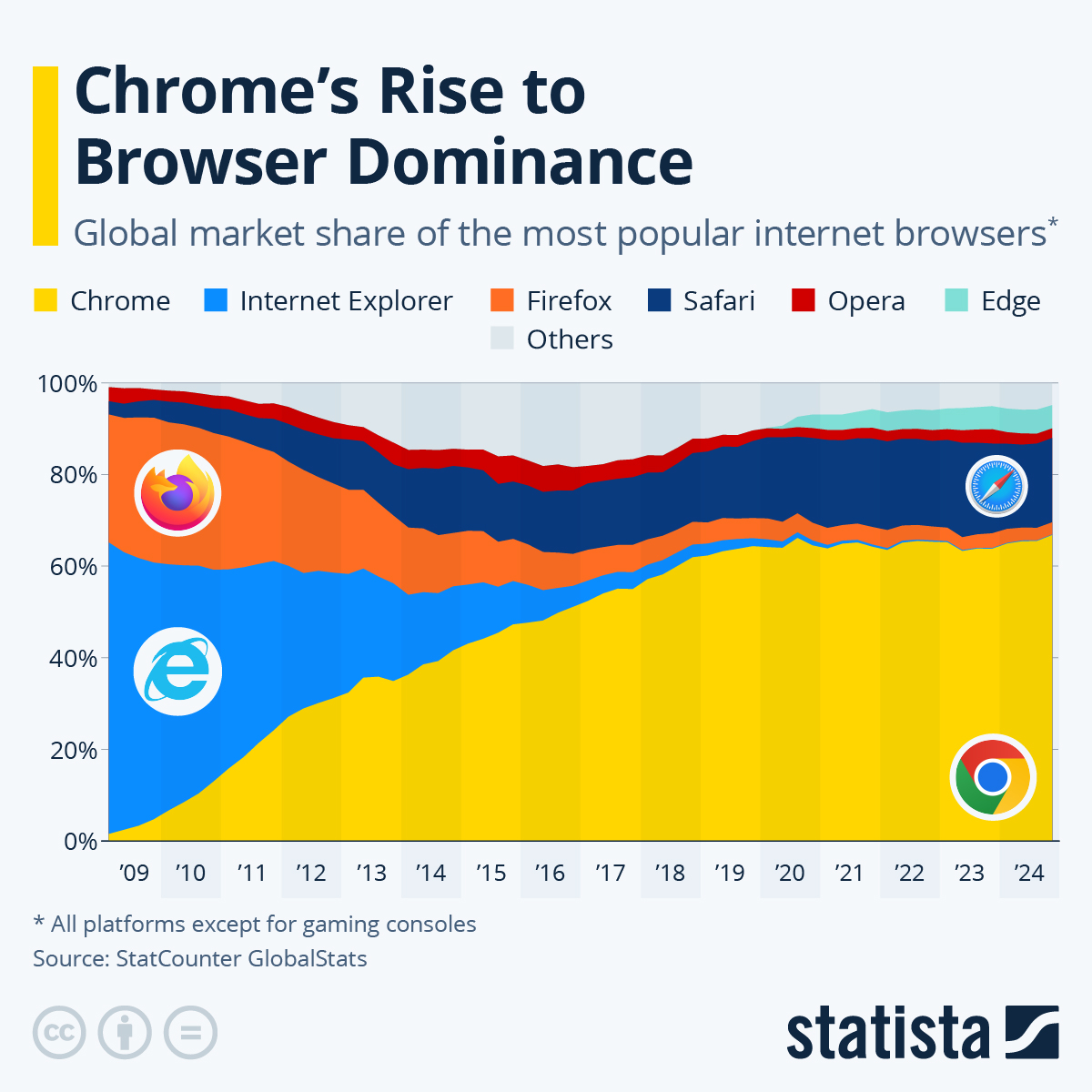
Nonetheless, Chrome is the big beast here. It hovers over 60% of market share, having eaten away at the previous dominance of Internet Explorer (now-defunct) and Firefox. Safari still maintains a respectable share, owing to its predominance on Apple machines.
The dominance of Google Chrome and Chromium
But that’s not the whole story. Chrome itself is based on Chromium, a free, open-source web browser primarily developed by Google. Importantly, Chromium is also the foundation for many other popular web browsers, including Microsoft Edge, Amazon Silk (mainly used for the the Amazon Fire line of tablets and TV players), DuckDuckGo, Opera, Samsung Internet (mainly used on Samsung devices), Vivaldi, Yandex, and Brave. Chromium is also used for the Electron framework, on which many desktop apps are now built, like GitHub Desktop, Discord, Slack, WhatsApp, Twitch, Mattermost, Notion and Obsidian.
In other words, Google’s reach extends far, much further than even the dominant market share of Chrome would suggest. The key question here, before we consider our choice of browser, is whether and to what extent Chromium is an issue. After all, it’s free and open source. The benefits of a Chromium-based browser are that you get a familiar browsing experience to Chrome, and most if not all of your extensions should still work just fine. The drawbacks are that Chromium still ‘phones home’ to Google in certain ways. Some Chromium-based browsers take steps to mitigate or eliminate the phoning home. Most notably, ungoogled-chromium does what its name suggests. Brave also adds in some toggles in the browser settings, allowing users to opt out of some of those features.
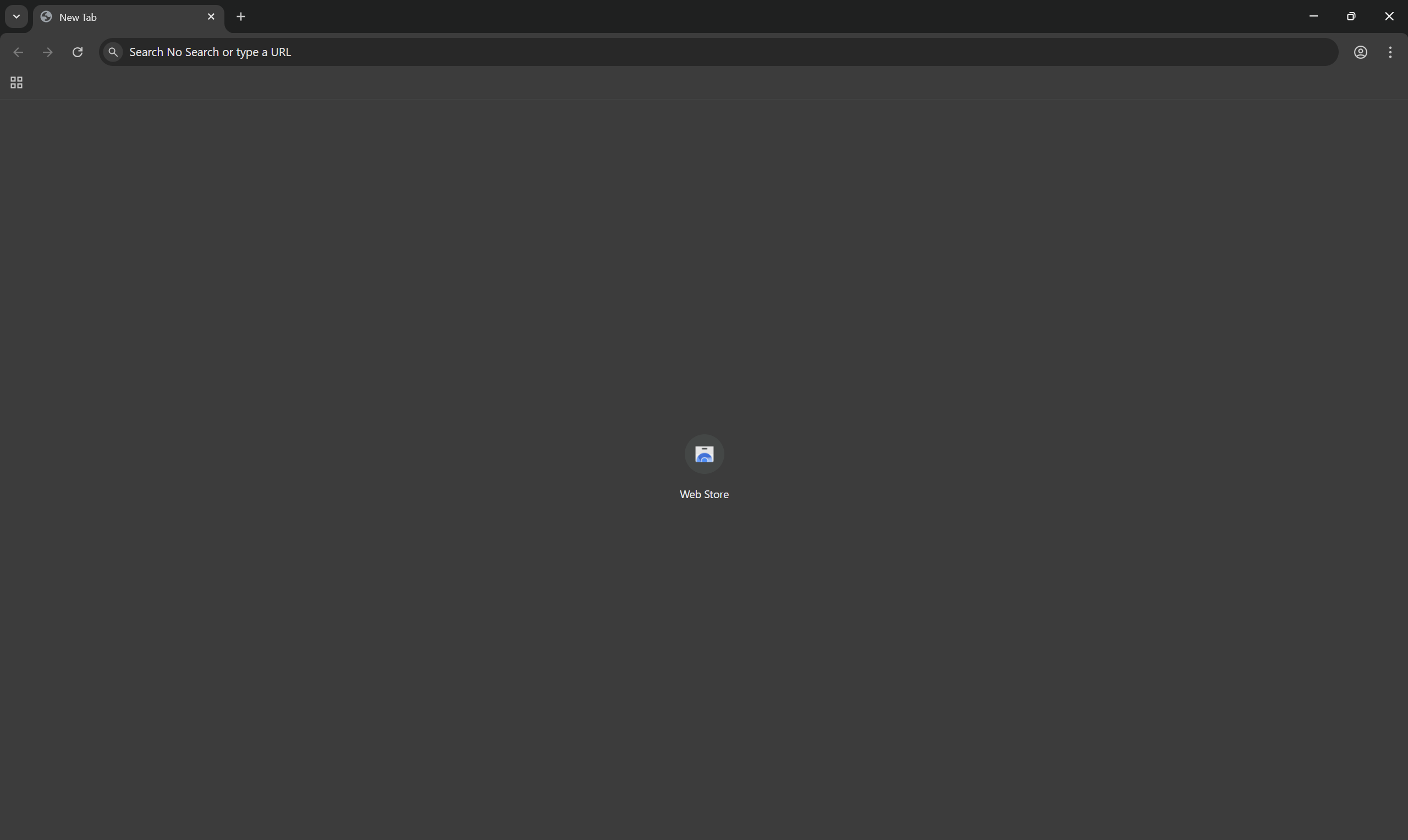
A freshly installed ungoogled-chromium.
The other argument against going with something Chromium, even if its fully degoogled, is about fighting Google’s market dominance. If Chrome is the most dominant web browser, and many of its biggest competitors are Chromium-based, then it’s no surprise that web development orbits Chrome like it’s the sun. Things are designed and developed for the web presuming a Chromium browser, by and large, with non-Chromium browsers being either deprioritized or ignored entirely. Even though I use Firefox, I have to keep a Chromium-based browser installed for the cases where a website is entirely broken on non-Chromium browsers. Chromium and especially Chrome’s dominance then becomes something of a self-fulfilling prophecy: of course it’s a powerful, well-featured and intuitive browser when everything is designed around it. It’s not an overall bad thing that the web has a predominant, free, open-source ‘standard’ that developers can rely on, rather than a thousand proprietary frameworks, it’s just a shame that it benefits Google so much.
Non-Chromium browsers
So, what’s the alternative?
The biggest non-Chromium browser is Safari. Being proprietary Apple software, that’s not really an option for this project. The next down the list is Firefox. Firefox used to be massive, beaten only by Internet Explorer back in the day, but got quickly eaten up by Chrome in the 2010s. But Firefox is still alive, and, largely since a big 2017 engine update, is having something of a resurgence, especially amongst those who want an alternative to a Google-dominated internet.
Firefox is run by Mozilla. Technically speaking, Mozilla is an open-source software community which is supported by the non-profit Mozilla Foundation, and operates as the for-profit entity The Mozilla Corporation, which is wholly owned by the Mozilla Foundation and reinvests all of its profits into Mozilla projects. So it’s a little more complicated than a plucky, open-source community powered by friendship. But – as we will also see with other areas of software – a powerful, functional, robust web browser is just an incredibly difficult thing to produce and maintain, so it follows that it requires a larger, more organised structure behind it. Mozilla is not without its controversies, but it is still a largely non-profit, open-source, community-focused, non-big-tech venture.
Personally, I use Firefox Nightly. The only difference compared with regular Firefox is that it gets bleeding-edge updates. It’s basically the Arch of Firefox versions. I don’t know, I just like getting shiny new updates and tinkering with software. Normal Firefox is just fine and more stable.
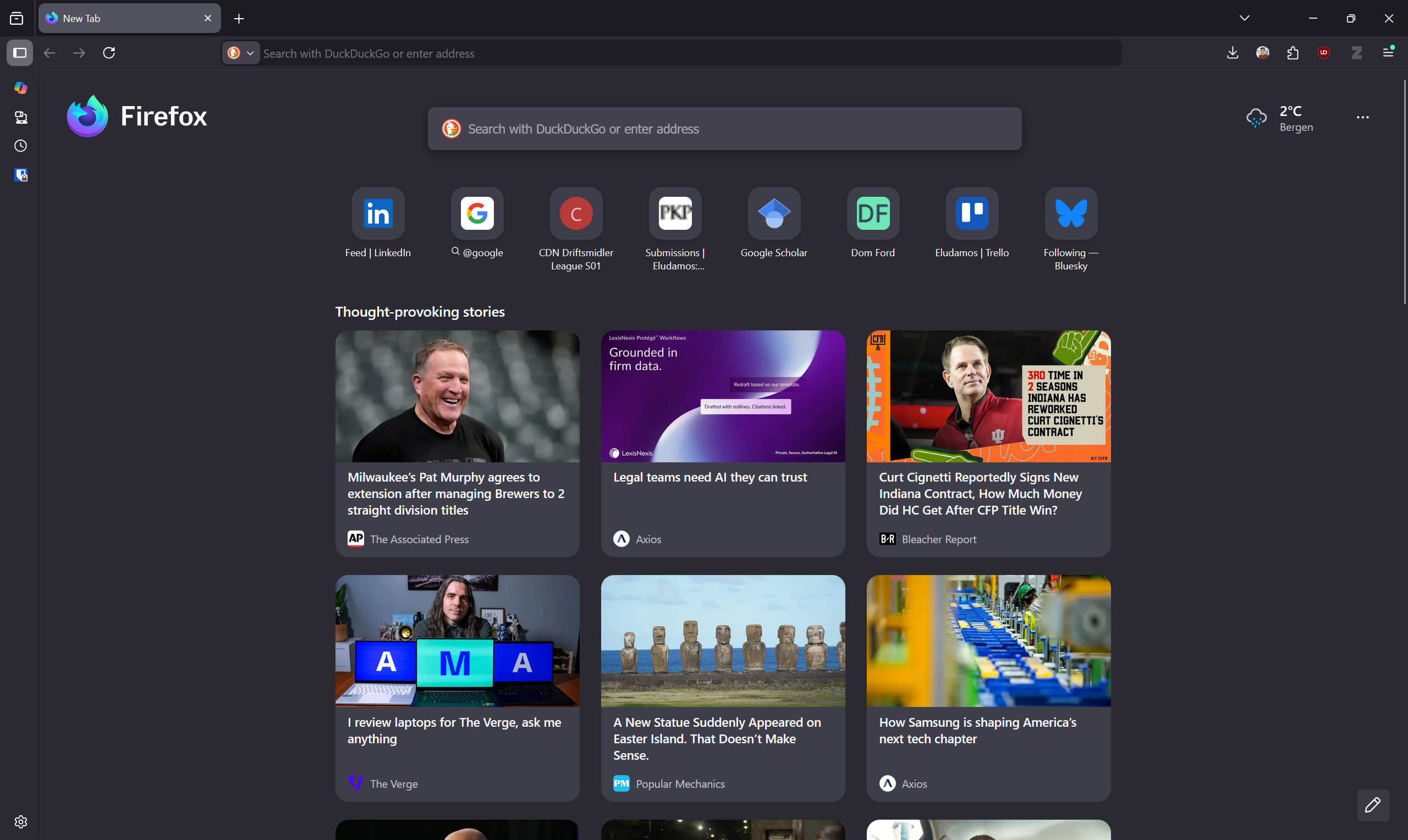
A fresh window in my Firefox Nightly.
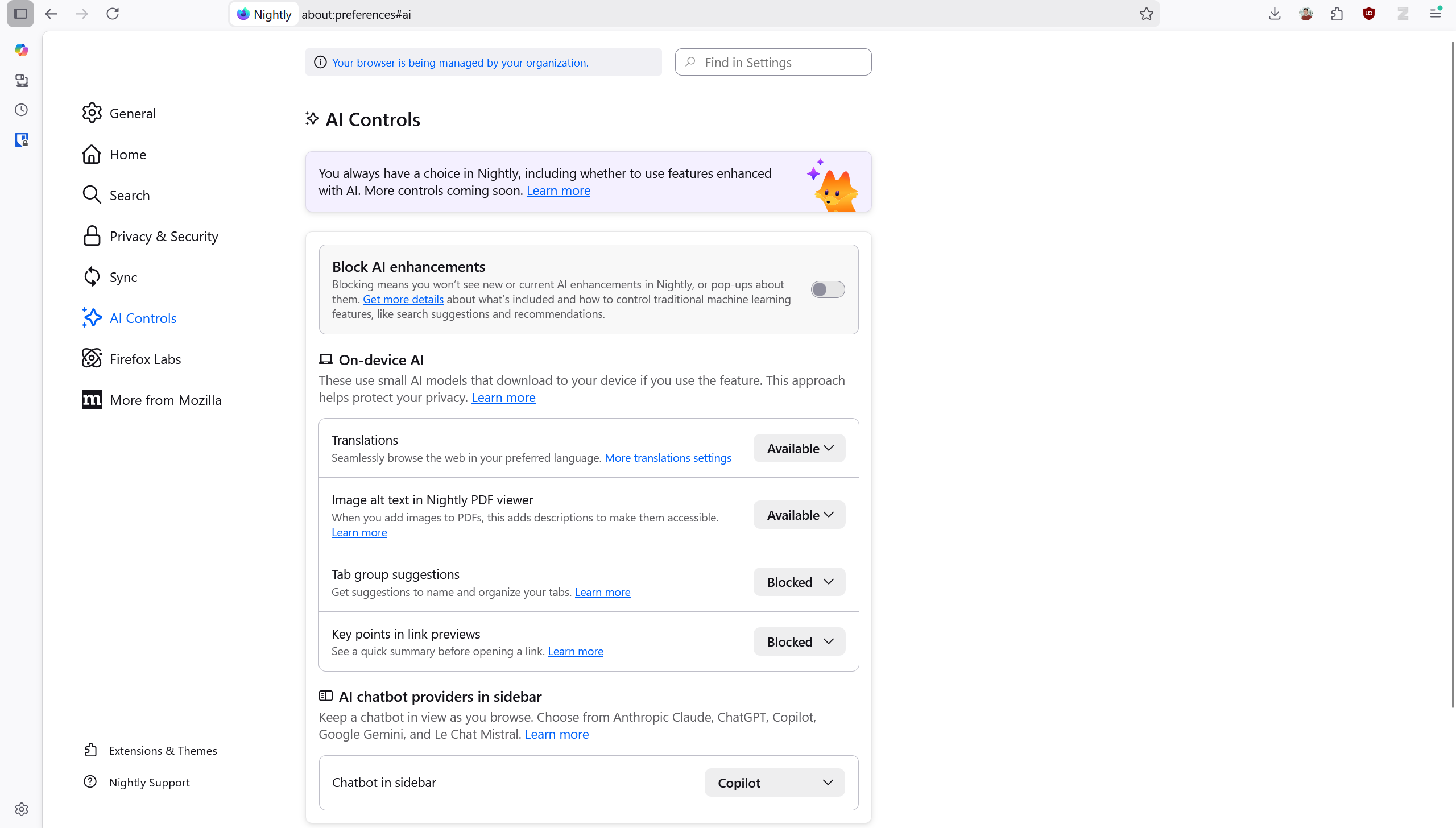
I also like Firefox’s approach to AI integration. Rather than forcing it into everything, AI features are clearly marked and described, with both granular and sweeping options to enable or block them. Features can be set to Available, Enabled or Blocked. Blocked is pretty clear, but even after reading the description I’m not entirely sure what the difference between Available and Enabled is. Still, I like this approach.
There are a thousand browser performance comparisons you can find. I would say that selecting your browser based on how many milliseconds faster it can load a page is silly. The reality is that all modern browsers perform comparably well. But it can also depend on a lot of things: your machine, your extensions, how the webpage was developed, and so on. If one seems to be performing noticeably bad for you, by all means try another. I regularly use other browsers and see no real difference.
The choice for me is then mostly down to ethics and privacy. For me, that rules out Chromium-based browsers. There are other Firefox-based browsers – like LibreWolf, Zen Browser, WaterFox and Floorp – but honestly I’ve been satisfied enough with Firefox that I haven’t tried them enough to properly test them, and haven’t felt the need to. By all means check them out, however.
There is also the somewhat infamous Tor Browser, which uses onion routing. This makes it quite slow, but also far more private. It has its place, certainly, but is also used most notably for a lot of illegal activities. I’d only really recommend this as a day-to-day browser if you are literally on the run from a despotic government (in which case, please seek advice from someone more knowledgeable than me).
Browser recommendation comparison
As always, here is a brief comparison based on my criteria and experience. It’s by no means exhaustive or expert, just my impressions.
Firefox-based
Best for most privacy-conscious, anti-Google users.
| Software | Ownership | Price | Open Source | Selling Point (What They Promote About Themselves) | The Catch |
|---|---|---|---|---|---|
| Firefox | Mozilla Corporation (USA) | Free | ✅ | Free, open source, run by a nonprofit, frequent updates, forum-based, quick support | Based in the US |
| LibreWolf | Librewolf Community (global) | Free | ✅ | Privacy- and security-focused, user freedom and customisation | Anti-DRM breaks a fair few websites like Netflix |
| Zen Browser | Zen Team (global) | Free | ✅ | Aesthetics, privacy, productivity and focus | Some concerns regarding security and performance |
| Waterfox | BrowserWorks (UK) | Free | ✅ | Privacy- and security-focused, user customisation, built-in encrytion, no telemetry | None that I can see – it just isn’t hugely distinct from other forks |
| Floorp | Floorp Projects | Free | ✅ | Privacy- and security-focused, user customisation, sustainability | Some reports of bugginess and resource-hogging |
| Tor Browser | The Tor Project (USA) | Free | ✅ | Ultra-privacy-focused | Slower internet speeds due to onion routing – essentially Tor is the nuclear option for privacy, at the cost of speed and functionality |
Chromium-based
Best for those who want a close-to-Chrome experience and/or have essential extensions only available on Chromium-based browsers.
| Software | Ownership | Price | Open Source | Selling Point (What They Promote About Themselves) | The Catch |
|---|---|---|---|---|---|
| ungoogled-chromium | ungoogled-software (?) | Free | ✅ | As close to Chromium as possible, with Google surgically removed | Lacks the features of many other browsers (for some, this is an advantage) |
| Brave | Brave Software (US) | Free | ✅ | Built-in ad and tracker blocking, built-in crypto wallet | Ethically dodgy connections now and in the past, including cryptocurrency, rewards, ads and politics |
| Vivaldi | Vivaldi Technologies (Norway) | Free | ❌ | Not big tech, mission-oriented | Some complain of a focus on features over function, with it being left a little buggy |
| DuckDuckGo | Duck Duck Go (US) | Free | ❌ | Privacy- and security-focused, anti-data-collection | Mission is a little compromised by secret deals with Microsoft |
Other
For the true hipsters. Or those who mistrust Mozilla.
| Software | Ownership | Price | Open Source | Selling Point (What They Promote About Themselves) | The Catch |
|---|---|---|---|---|---|
| Pale Moon* | Moonchild Productions (Sweden) | Free | ✅ | Free, open source, privacy-focused, user customisation | Dated UI, limited extensions |
| Ladybird | Ladybird Browser Initiative (US) | Free | ✅ | Privacy, customisation | Not actually out yet. Looks promising though! |
*Pale Moon is technically a Firefox fork, but that was back in 2009, so it’s as much a Firefox fork as Firefox is a Netscape fork.
Closing thoughts
The web browser is one of the easier pieces of software to exorcise Big Tech from. There are multiple viable paths to choose. The two most common will be either a Chromium-based, non-Google alternative, or Firefox (or derivative). The former has the advantage of being familiar and compatible if you’re coming from Chrome. The latter is a bit further from Google and helps to break its monopoly.
If you have problems with both Google and Mozilla, there are more options yet, though I really have very little experience with them.
In any case, it’s usually quite easy to port data like bookmarks over to new browsers – extensions too if you’re staying within the same ecosystem, like Chromium – so it should feel quite seamless. You’ll need to decide on your priorities and your needs. How private do you want to be? What extensions are vital to you, and which browsers support them or have equivalents?
My main recommendation is that I’ve been very happy on Firefox Nightly. It’s a good combination of privacy-focused, but also backed by a larger nonprofit organisation, which is good for long-term support and security. But this is really a space where you have a lot of options.